

Dark mode is here at last! 
It will automatically follow the system preference of your device:
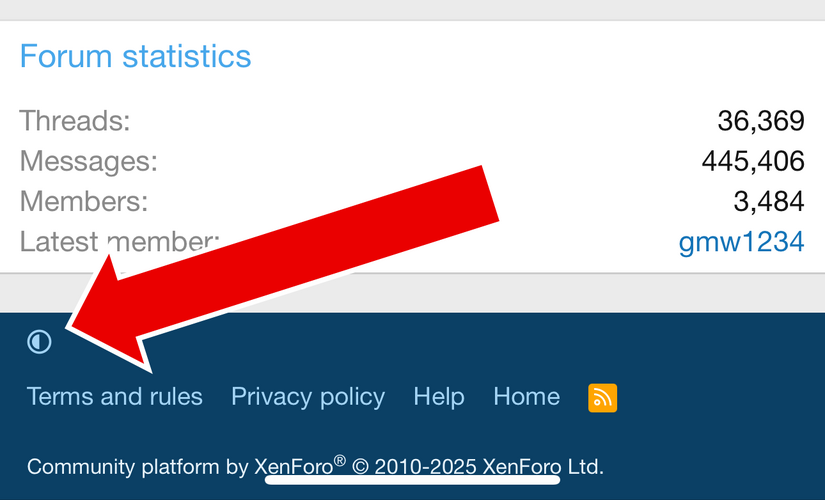
1. Scroll to the bottom and look in the left corner for the small circle that is half light / half dark.
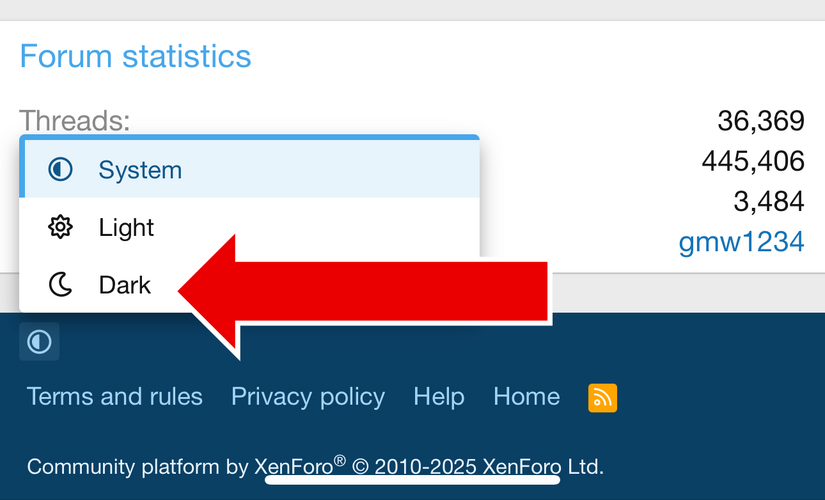
2. Click on it to choose dark mode.
It will automatically follow the system preference of your device:
- If your device is in light mode during the day and dark mode at night, the forum should follow this.
- If your device is in dark mode all the time, you should now have dark mode all the time.
1. Scroll to the bottom and look in the left corner for the small circle that is half light / half dark.
2. Click on it to choose dark mode.